How to Create a Payment QR Code (PayPal, UPI, EPC, PIX)
Created on 25 June, 2026 • qr code • 266 views • 9 minutes read
Learn how to create a payment QR code for PayPal, UPI, EPC, and PIX. Step-by-step guide, best practices, common mistakes, and FAQs for businesses and freelancers.
Asking customers to type in a payment link, search for your account, or copy a long transaction ID is friction you don't need. A payment QR code removes all of that — one scan and the customer lands directly on your payment page, pre-filled and ready to complete. No typing, no searching, no mistakes.
In this guide, you'll learn what a payment QR code is, how it works for four of the most widely used payment systems — PayPal, UPI, EPC, and PIX — how to create one in minutes, and how to avoid the mistakes that cause payments to fail or go to the wrong account.
What Is a Payment QR Code?
A payment QR code is a scannable image that encodes your payment details — your account, wallet address, or payment link — so that scanning it opens the payment app or form automatically, with your information already filled in. The customer simply enters the amount (if it isn't pre-set) and confirms.
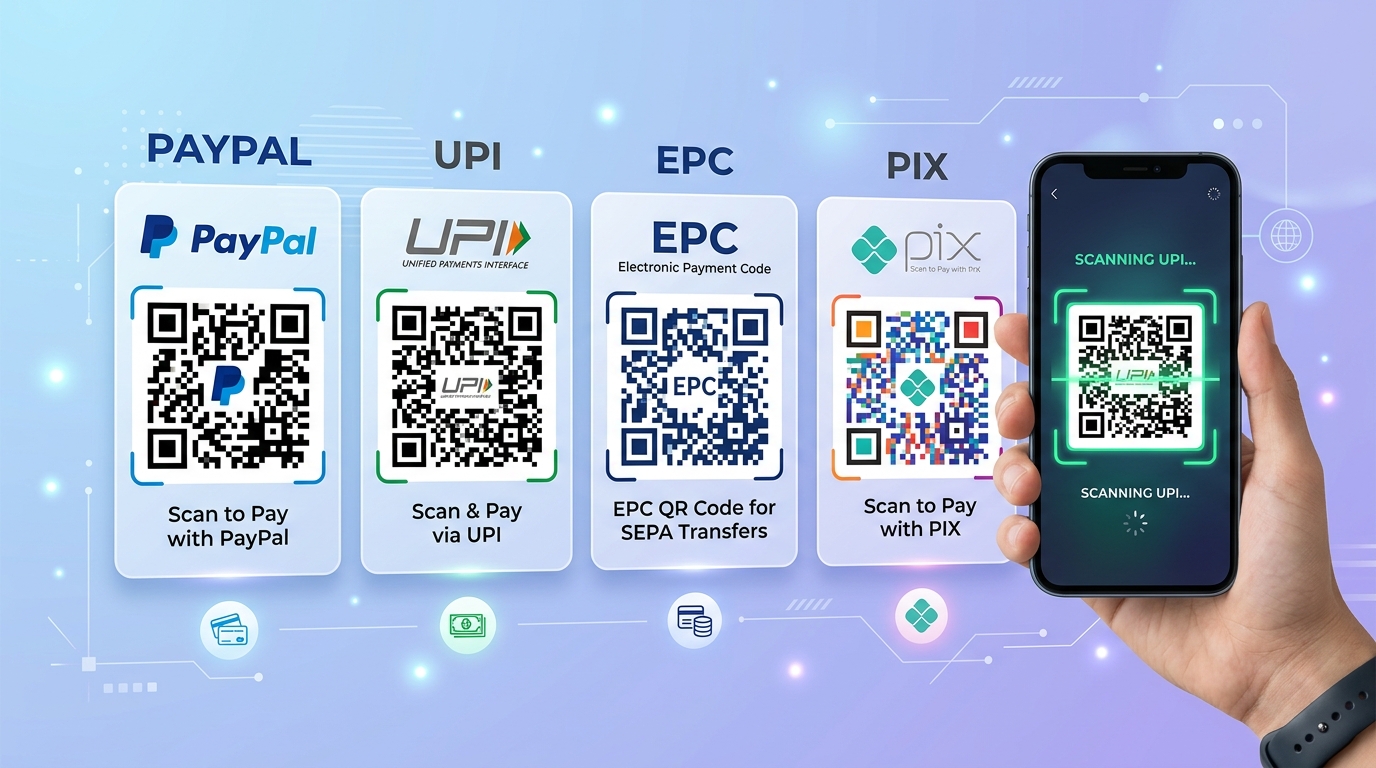
Each payment system has its own QR code standard:
- PayPal — encodes a PayPal.me link or payment URL
- UPI — encodes a UPI payment string (used in India via apps like Google Pay, PhonePe, Paytm)
- EPC — encodes a structured SEPA Credit Transfer (used across Europe for bank transfers)
- PIX — encodes a PIX payment key or payload (used in Brazil)
All four work by encoding payment data into a QR format that the corresponding app or banking system can read and act on immediately.
Image suggestion: four payment QR codes side by side labeled PayPal, UPI, EPC, and PIX on a clean white background — alt text: "payment qr code paypal upi epc pix"
Benefits of Using a Payment QR Code
A payment QR code is one of the fastest ways to get paid — in person, on a receipt, or on a screen.
- Instant, error-free payments. The customer's app reads the account details directly from the code — no risk of typos in an account number or payment address.
- Works in person and remotely. Display the code at a checkout counter, print it on an invoice, add it to an email, or embed it on a website — it works in all contexts.
- Faster checkout. Especially at physical points of sale, a payment QR code is faster than cash handling, card terminals, or manual bank transfer entry.
- No card reader required. For small businesses, freelancers, and market vendors, a printed payment QR code replaces the need for hardware entirely.
- Pre-filled amounts. Some payment systems (UPI, EPC, PIX) let you encode a fixed amount into the QR code, so the customer just scans and confirms — no entry needed at all.
How to Create a Payment QR Code
The process is similar across all four payment types — the difference is in the data you encode. Here's how to create a QR code for each.
PayPal QR Code
Step 1: Get your PayPal.me link Log into your PayPal account and go to paypal.me to find or set up your personal payment link. It looks like https://paypal.me/yourusername. You can also add a fixed amount: https://paypal.me/yourusername/50 for a $50 payment.
Step 2: Generate the QR code Go to Toolxa's URL QR Code Generator, paste your PayPal.me link, and generate the code. Download it as a high-resolution PNG or SVG.
Step 3: Test and deploy Scan the code yourself to confirm it opens the correct PayPal payment page. Deploy it on invoices, receipts, your website, or print it for in-person use.
UPI QR Code
UPI (Unified Payments Interface) is India's real-time payment system, used by Google Pay, PhonePe, Paytm, and most Indian banking apps. A UPI QR code encodes a standard UPI string.
Step 1: Prepare your UPI details You'll need:
- Your UPI ID (e.g. yourname@upi or yourmobile@bankname)
- Your display name
- Optional: a fixed amount and transaction note
The standard UPI deep link format is:
[object HTMLPreElement]Where pa = UPI ID, pn = payee name, am = amount, cu = currency, tn = transaction note.
Step 2: Generate the QR code Go to Toolxa's UPI QR Code Generator, enter your UPI ID, name, and optional amount, and generate the code. Toolxa builds the correct UPI string automatically — you don't need to construct the URL manually.
Step 3: Test and deploy Scan with Google Pay, PhonePe, or any UPI app to confirm the correct payee name and amount appear before deploying.
EPC QR Code
EPC (European Payments Council) QR codes encode SEPA Credit Transfer data — used across Europe so customers can initiate a bank transfer by scanning the code in their banking app, without typing an IBAN.
Step 1: Prepare your SEPA bank details You'll need:
- Beneficiary name
- IBAN
- BIC/SWIFT code
- Optional: fixed amount and payment reference
Step 2: Generate the QR code Go to Toolxa's EPC QR Code Generator, enter your bank details, and generate the code. The tool formats the data according to the EPC QR standard automatically.
Step 3: Test and deploy Test with a European banking app that supports EPC QR scanning (most major EU banks do). Confirm the payee name, IBAN, and amount display correctly before printing on invoices or contracts.
PIX QR Code
PIX is Brazil's instant payment system operated by the Banco Central do Brasil. It supports QR codes natively — most Brazilian banking apps can scan a PIX QR code and complete a payment in seconds.
Step 1: Get your PIX key Your PIX key can be your CPF/CNPJ number, phone number, email address, or a random key generated by your bank. You can find it in your banking app under PIX settings.
Step 2: Generate the QR code Go to Toolxa's PIX QR Code Generator, enter your PIX key, recipient name, city, and optional amount, and generate the code. Toolxa generates a valid PIX payload (BR Code) automatically.
Step 3: Test and deploy Scan the code with your banking app to confirm all details are correct before distributing on invoices, product pages, or at your point of sale.
Common Mistakes to Avoid
- Using a personal PayPal link for business payments. Personal PayPal accounts have receiving limits and may not support all currencies or business protections. Use a PayPal Business account for commercial use.
- Wrong UPI ID format. A UPI ID must be in the format handle@provider (e.g. name@oksbi). A phone number alone or an email without the @provider suffix won't work.
- Missing BIC in EPC codes. Some EPC generators make BIC optional, but many European banking apps still require it for the transfer to process. Always include it.
- Incorrect PIX key type. Make sure the PIX key you enter matches the type registered with your bank — using a phone number registered as a CPF key, for example, will cause the payment to fail.
- Not testing before printing. Always scan the QR code yourself with the relevant payment app before printing or distributing it widely. A single wrong character in an account number means payments go nowhere.
- No label on the code. Always add a short prompt like "Scan to pay via PayPal" or "Pague com PIX" so the customer knows which app to open.
Best Practices
- Print the payment amount on the code if it's fixed. For invoices or specific products, encoding a fixed amount removes one more step for the customer and reduces errors.
- Include your payment details in text as a backup. A QR code is the primary method, but always print your PayPal username, UPI ID, IBAN, or PIX key in plain text nearby in case someone's camera doesn't work or the code is damaged.
- Use a separate code for each payment type. If you accept both PayPal and PIX, create a separate QR code for each and label them clearly — don't try to combine them into one.
- Use dynamic QR codes for payment pages that might change. If your PayPal link or payment page URL could change in the future, a dynamic QR code lets you update the destination without reprinting any materials. For more on this, see our guide on Static vs Dynamic QR Codes.
- Match the payment method to your market. Use PayPal for international customers, UPI for India, EPC for Europe, and PIX for Brazil. Offering the right method for your audience reduces abandoned payments significantly.
- For in-person use, laminate the printed code. A laminated QR code holds up to counter use, handling, and spills — and stays scannable far longer than a paper print.
FAQs
Is a payment QR code free to create?
Yes. You can create a PayPal, UPI, EPC, or PIX QR code for free using Toolxa's QR code generators with no sign-up required.
Can I set a fixed amount in a payment QR code?
Yes, for UPI, EPC, and PIX — you can encode a specific amount so the customer just scans and confirms without entering anything. For PayPal, you can include the amount in your PayPal.me link (e.g. paypal.me/username/50).
Is it safe to share a payment QR code publicly?
Yes. A payment QR code only contains your receiving details — the same information you'd share on an invoice or a bank transfer form. It does not give anyone access to your account or funds.
What happens if someone scans the code without the right app installed?
For PayPal, the link will open in a browser and prompt the user to log in or sign up. For UPI, PIX, and EPC, the user needs the corresponding banking app — without it, the deep link may not open correctly. This is why labeling the code with the payment method is important.
Can I use one QR code for multiple payment methods?
No. Each QR code encodes one specific payment method and account. If you accept multiple methods, create a separate clearly labeled QR code for each.
Do payment QR codes expire?
A static QR code pointing to a fixed PayPal.me link or UPI string does not expire on its own. It will only stop working if your account is closed, your PayPal link changes, or your UPI/PIX key is deregistered. For more on QR code lifespan, see our guide on How Long Do QR Codes Last.
Final Thoughts
A payment QR code is one of the most practical tools you can add to any business — physical or digital. Whether you're a freelancer sending invoices, a market vendor collecting payments, or an e-commerce store serving customers in Brazil or Europe, the right QR code gets you paid faster with fewer errors and less back-and-forth.
Create one for each payment method you accept, label them clearly, test them before distributing, and you'll have a payment setup that works as hard as you do.
Ready to create yours? Use Toolxa's free payment QR code generators to build a custom PayPal, UPI, EPC, or PIX QR code in seconds — no sign-up required.
Meta Description: Learn how to create a payment QR code for PayPal, UPI, EPC, and PIX. Step-by-step guide, best practices, common mistakes, and FAQs for businesses and freelancers.
Meta Keywords: payment qr code, paypal qr code, upi qr code, epc qr code, pix qr code, how to create a payment qr code