UPC vs EAN Barcode: What's the Difference?
Created on 19 June, 2026 • generate barcode • 189 views • 8 minutes read
UPC vs EAN barcode — what's the difference? Learn which barcode format you need, how digit counts and markets differ, and how to create one for your product.
If you're selling a product — whether in a physical store, on Amazon, or across international markets — you'll encounter two barcode formats almost immediately: UPC and EAN. They look similar, they work the same way at checkout, but they are not interchangeable in every context, and choosing the wrong one for your market can cause real problems.
In this guide, you'll learn exactly what UPC and EAN barcodes are, how they differ, which one you need for your product and market, and how to generate the right barcode without mistakes.
What Is a UPC Barcode?
UPC stands for Universal Product Code. It is the standard barcode format used in the United States and Canada, and the one you'll find on virtually every product sold in North American retail — from a bottle of shampoo to a box of cereal.
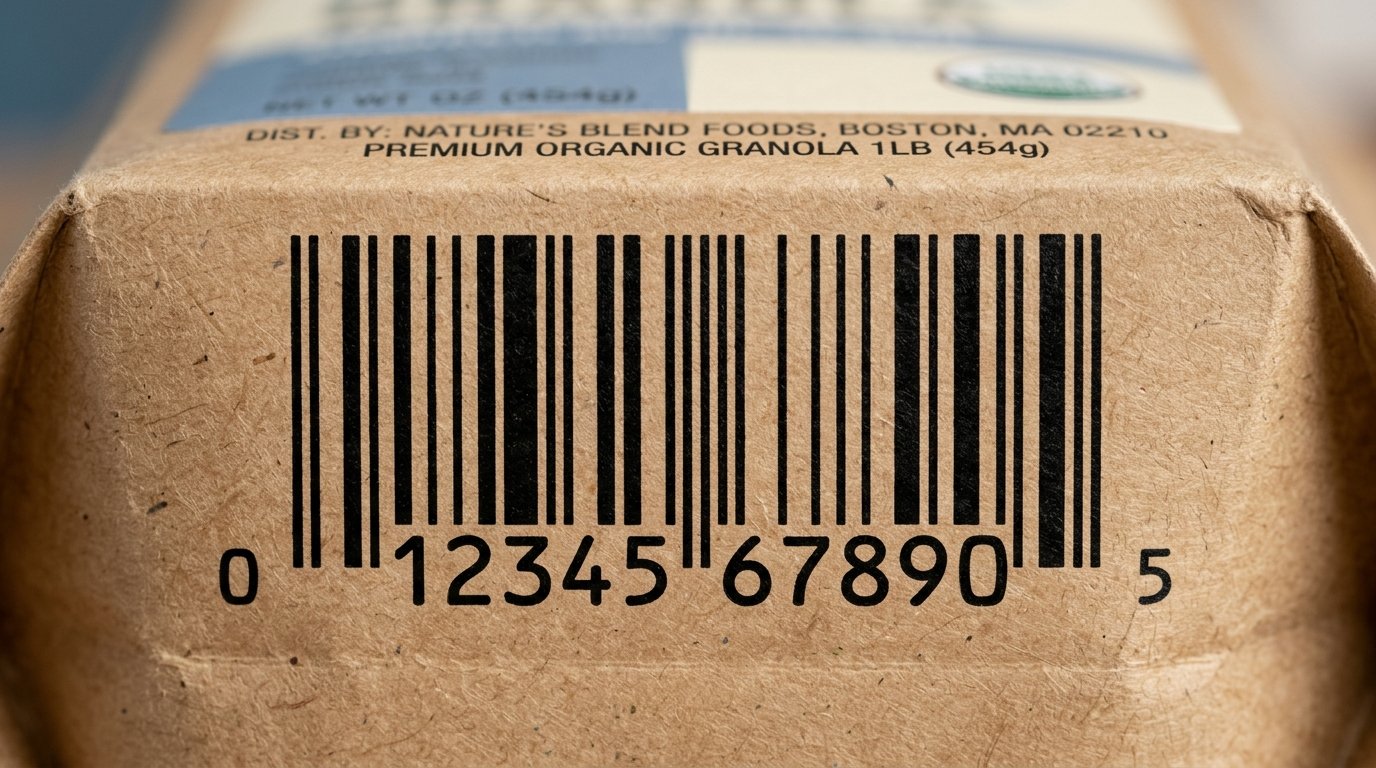
A standard UPC-A barcode contains 12 digits. The first few digits identify the company (assigned by GS1, the global barcode standards organization), the next digits identify the specific product, and the final digit is a check digit used to verify the barcode was scanned correctly.
There is also a shorter variant called UPC-E, which compresses the code to 8 digits by suppressing leading zeros — used for small packaging where a full-width barcode won't fit.
Image suggestion: a clean UPC-A barcode on a product package with the 12-digit number visible beneath it — alt text: "upc barcode example product"
What Is an EAN Barcode?
EAN stands for European Article Number, though it is now formally known as the International Article Number — the name was updated to reflect its global adoption. EAN is the standard barcode format used across Europe, Asia, Australia, Latin America, and most of the rest of the world outside North America.
A standard EAN-13 barcode contains 13 digits. The first two or three digits represent the country or region prefix (assigned by GS1), followed by the company and product identifiers, and ending with a check digit. There is also a shorter EAN-8 format for small packaging, similar to UPC-E.
The key structural difference is that EAN-13 is essentially UPC-A with a leading digit added to the front — which is why EAN-13 scanners can read UPC-A codes, but UPC-only scanners cannot read EAN-13 codes.
Image suggestion: an EAN-13 barcode on a European product label with the 13-digit number beneath it — alt text: "ean barcode example product label"
UPC vs EAN: Key Differences
FeatureUPC-AEAN-13Number of digits1213Primary marketUSA & CanadaGlobal (Europe, Asia, etc.)Issued byGS1 USGS1 (country-specific)Can be read by EAN scannersYes—Can be read by UPC-only scanners—NoCountry prefixNoYes (2–3 digits)Used on Amazon USYesYes (both accepted)
Digit Count
This is the most visible difference. UPC-A has 12 digits; EAN-13 has 13. The extra digit in EAN-13 is a country or region prefix that identifies where the barcode was issued — something UPC lacks entirely, as it was designed for a single-country market.
Geographic Coverage
UPC is a North American standard. EAN is used in most other countries and is increasingly the preferred format even in contexts where both are accepted, because it works globally without modification.
Scanner Compatibility
All modern retail scanners — including those used by Amazon, Walmart, and most major retailers — can read both UPC-A and EAN-13. However, older UPC-only scanners (still found in some legacy retail environments) cannot read EAN-13. If you're selling in the US through traditional retail, UPC remains the safer default.
Country Prefix
EAN-13 includes a 2–3 digit country prefix at the start of the code, assigned by your national GS1 member organization. This prefix identifies where the barcode was registered — it does not indicate where the product was manufactured or where it's being sold.
Which One Do You Need?
The right choice depends primarily on where you're selling and who your retail partners are.
Choose UPC if:
- You are selling exclusively in the United States or Canada
- Your retail partners (Walmart, Target, CVS, etc.) specifically require UPC
- You are listing on Amazon US and want the most universally compatible format for that market
Choose EAN if:
- You are selling in Europe, Asia, Australia, or any market outside North America
- You are selling internationally across multiple regions
- Your retail partners outside North America require EAN
If you're selling in both markets, you have two options: obtain an EAN-13 barcode (since EAN-13 is accepted by most modern scanners globally, including in the US), or obtain both a UPC and an EAN for the same product. Many brands selling internationally choose EAN-13 as their single format because of its broader compatibility.
How to Create a UPC or EAN Barcode
Generating a UPC or EAN barcode involves two distinct steps — obtaining the number, and generating the visual barcode image.
Step 1: Obtain a Valid Barcode Number
For retail use, barcode numbers must be officially registered through GS1 — the global standards organization that manages barcode numbering. Using a barcode number that isn't properly registered can cause conflicts at retail checkout systems or rejection by major retailers.
- Visit gs1.org and register as a brand owner to obtain a GS1 Company Prefix, from which you generate your product GTINs (Global Trade Item Numbers).
- Each unique product variant (size, color, flavor) requires its own unique barcode number.
For internal use, prototyping, or non-retail applications, you can generate a barcode without GS1 registration — but never use unregistered numbers on products sold through retail channels.
Step 2: Generate the Barcode Image
Once you have your barcode number, use a barcode generator such as Toolxa's Barcode Generator to convert the number into a scannable barcode image. Download it as a high-resolution PNG or SVG file suitable for print.
Select the correct barcode type in the generator — UPC-A for 12-digit codes, EAN-13 for 13-digit codes — and confirm the check digit is correct before downloading.
Step 3: Test and Apply to Packaging
Before printing packaging at scale, test the barcode with a retail-grade barcode scanner or a scanning app on a smartphone. Confirm it reads correctly and returns the expected product number. Check that:
- The barcode is printed at the correct size (minimum 1.02 × 0.69 inches for UPC-A at 100% magnification)
- There is adequate quiet zone (white space) on both sides of the bars
- The contrast between bars and background is sufficient for reliable scanning
For detailed sizing and print guidelines, see our QR Code Size Guide — many of the same contrast and quiet zone principles apply to barcodes.
Common Mistakes to Avoid
- Using unregistered barcode numbers for retail products. Numbers not issued through GS1 can duplicate numbers already in use by other brands, causing serious problems at retail checkout.
- Confusing the barcode number with the barcode image. The number is the data; the image is just a visual representation of it. You need a valid registered number first, then generate the image.
- Using EAN-13 on packaging for a US retailer that requires UPC-A. While most modern scanners read both, some retailer systems and routing software still specifically require 12-digit UPC format.
- Printing the barcode too small. A barcode below the minimum recommended size may scan inconsistently, especially on curved or textured packaging surfaces.
- Applying the same barcode to different product variants. Every distinct variant — different size, color, or configuration — must have its own unique barcode number.
- Not testing before going to print. Always scan a printed proof before committing to a full packaging run.
Best Practices
- Register through GS1 if you're selling in retail. It's the only way to guarantee your barcode numbers are globally unique and recognized by retail systems.
- Use EAN-13 if you're selling internationally. It's accepted in more markets and future-proofs your packaging across regions.
- Keep a product-to-barcode registry. Maintain a spreadsheet mapping every product variant to its unique GTIN and barcode image file — essential when you scale to multiple SKUs.
- Download barcodes in vector format (SVG or EPS). Vector files scale without losing quality, which is critical for packaging that needs to be reproduced at different sizes.
- Place the barcode on the back or bottom of the package. Avoid placing it on curved or heavily textured surfaces where scanning reliability drops.
- Include the human-readable number below the barcode. This is standard practice and allows manual entry at checkout if the barcode fails to scan.
FAQs
Can a UPC barcode be used in Europe?
Modern European retail scanners can read UPC-A barcodes because UPC-A is technically a subset of EAN-13 (with a leading zero). However, many European retailers and distribution systems officially require EAN-13, so check with your retail partners before relying on UPC alone for European sales.
Can an EAN barcode be used in the United States?
Yes. Most US retailers and Amazon US accept EAN-13 barcodes. If you're only going to get one barcode format, EAN-13 offers broader global compatibility. However, some US retailers and legacy systems specifically require UPC-A, so confirm with your partners first.
Are UPC and EAN barcodes the same thing?
They are closely related but not identical. UPC-A (12 digits) and EAN-13 (13 digits) use the same barcode symbology and are compatible with modern scanners, but they have different digit counts, different issuing systems, and different geographic conventions.
How much does it cost to get a barcode?
GS1 membership fees vary by country and company size. In the US, GS1 US charges an initial fee plus an annual renewal. The cost covers your Company Prefix and the right to issue as many GTINs as your prefix allows.
Do I need a different barcode for each product variant?
Yes. Each unique product variant — including different sizes, colors, flavors, or configurations of the same product — must have its own unique GTIN and corresponding barcode. Using one barcode across multiple variants causes checkout and inventory errors.
What is a GTIN?
GTIN stands for Global Trade Item Number. It's the standardized number that identifies a product globally. A UPC number is a type of GTIN (GTIN-12), and an EAN number is also a type of GTIN (GTIN-13). The GTIN is the data; the barcode is the visual format used to encode and scan it.
Final Thoughts
UPC and EAN barcodes serve the same purpose — uniquely identifying a product at the point of sale — but they operate in different geographic contexts and have different digit structures. UPC is the standard in North America; EAN is the standard everywhere else, and increasingly accepted in North America too.
If you're selling domestically in the US or Canada, UPC-A is the safe, established choice. If you're selling internationally or want a single format that works across markets, EAN-13 is the more future-proof option. Either way, register your numbers through GS1 before putting a barcode on any retail product.
Ready to generate your barcode? Use Toolxa's free barcode generator to create a print-ready UPC or EAN barcode in seconds — no sign-up required.