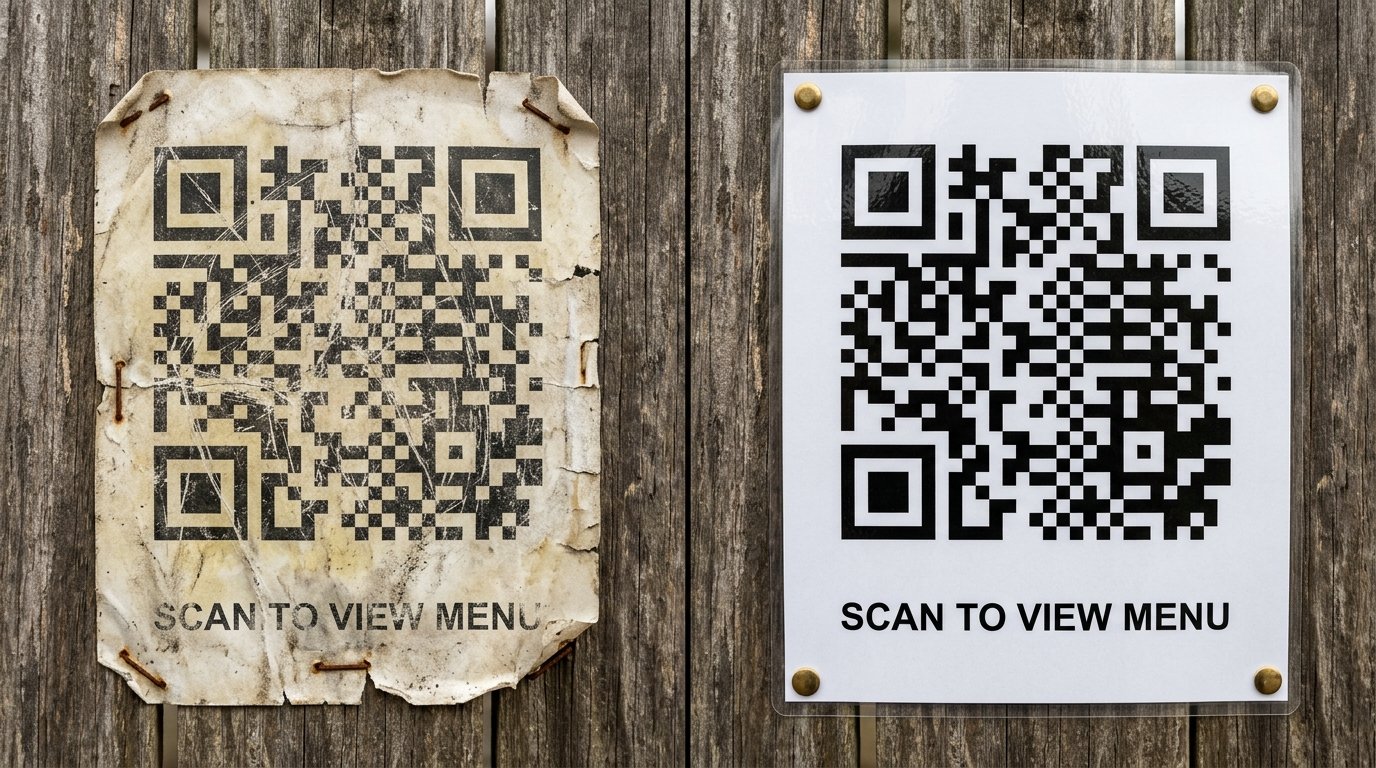
How Long Do QR Codes Last? Static vs Dynamic QR Code Expiry Explained
Created on 19 June, 2026 • qr code • 225 views • 9 minutes read
Do QR codes expire? Learn how long QR codes last, the difference between static and dynamic codes, what makes them stop working, and how to keep them active.
You've printed QR codes on flyers, menus, or business cards — and now you're wondering whether they'll still work in six months, a year, or five years from now. It's a fair question, and the answer depends on one key factor: whether your code is static or dynamic.
In this guide, you'll learn how long QR codes last, what makes them stop working, the difference between static and dynamic codes, and exactly what you need to do to keep your codes active for as long as you need them.
What Determines How Long a QR Code Lasts?
A QR code itself — the black-and-white pattern printed on paper or displayed on a screen — does not have a built-in expiry date. The pattern is simply a visual encoding of data, the same way a barcode encodes a product number. Left alone, the pattern stays valid forever.
What determines whether a QR code actually works is what it points to. There are two scenarios:
- The code encodes data directly (a phone number, plain text, a WiFi password, a vCard). In this case, the code works indefinitely as long as the physical print isn't too damaged to scan.
- The code encodes a URL. In this case, the code works as long as that URL is live and returns the correct page. If the page is taken down, the domain expires, or the link changes, the code "stops working" — not because the code itself broke, but because what it points to is gone.
Image suggestion: a split graphic showing a static QR code labeled "works forever" next to a dynamic QR code labeled "editable & trackable" — alt text: "how long do qr codes last static vs dynamic"
Static vs Dynamic QR Codes: Which One Expires?
This is the most important distinction when thinking about QR code lifespan.
Static QR Codes
A static QR code has the destination baked directly into the pattern at the moment of creation. The URL (or other data) is encoded into the grid itself, so the code cannot be edited after generation.
- Do they expire? No — a static QR code never expires on its own. The same code will keep pointing to the same destination forever, as long as that destination still exists.
- What can go wrong? If the URL the code points to is taken offline, redirected, or the domain lapses, the code will lead to a dead page or an error. The code is still technically valid — it just has nowhere useful to send people.
- Best for: permanent information that will never change — a phone number, an address, a contact card, a fixed landing page.
Dynamic QR Codes
A dynamic QR code points to a short redirect URL hosted by the QR code service. When someone scans it, they're briefly sent through that service's redirect before landing on your actual destination. This means you can update the destination anytime through the service's dashboard — without changing the printed code.
- Do they expire? Dynamic QR codes can expire, but only if your subscription with the QR code service ends or lapses. As long as your account is active, the redirect URL stays live and the code keeps working.
- What can go wrong? If you cancel your plan, stop paying, or the service shuts down, the redirect URL disappears and the code stops working immediately — even if the printed code is in perfect condition.
- Best for: anything that might change — menus, campaign links, product pages, business cards, or any material where you want to edit the destination or track scan analytics over time.
What Can Make a QR Code Stop Working?
Even if your QR code has no built-in expiry, several things can cause it to fail in practice.
1. The destination URL goes offline If your website goes down, your domain expires, or you delete the page the code points to, scans will lead to a 404 error or a blank page. The code is fine — the destination isn't.
2. The QR service account lapses (dynamic codes only) Dynamic codes rely on a live redirect service. Cancel or forget to renew the account and the redirect link dies instantly.
3. Physical damage to the print QR codes have built-in error correction, so they can tolerate some wear and still scan. But heavy scratching, water damage, fading from UV exposure, or significant tearing can push the damage beyond what error correction can handle.
4. The code was printed too small or at low resolution A code that was borderline scannable when first printed often becomes unscannable after normal handling, especially on glossy or textured stock.
5. The destination changes but the code wasn't updated A static code pointing to an old URL that now redirects or returns an error effectively stops working, even though the code itself is unchanged.
How to Make Your QR Code Last Longer
A few proactive steps dramatically extend the useful life of any QR code.
Step 1: Choose the Right Code Type for Your Use Case
If the destination will never change — a WiFi password, a vCard, a permanent product page — use a static code. It has no ongoing cost and no dependency on a third-party service staying live.
If the destination might change, or you want scan tracking, use a dynamic QR code from a reliable service. Factor the subscription cost into your planning, and make sure you can commit to keeping the account active for as long as the printed materials will be in use. For more on choosing between the two, see our Dynamic vs Static QR Codes Guide.
Step 2: Use a Stable, Long-Term Destination URL
Avoid linking directly to campaign-specific URLs, temporary landing pages, or pages tied to a promotion that will end. Instead, link to a stable URL you control — your homepage, a permanent product page, or a dedicated landing page you intend to keep live.
If you need to change where the code sends people in the future, use a dynamic code or set up a redirect at the stable URL rather than reprinting the code.
Step 3: Print at the Right Size and Quality
A code printed at high resolution on quality stock, at a minimum of 0.8 × 0.8 inches (2 × 2 cm), will hold up far longer under normal handling than a small, low-resolution code squeezed into a corner. For detailed sizing guidance, see our QR Code Size Guide.
Common Mistakes to Avoid
- Using a dynamic code without a plan for the subscription. If you print 5,000 flyers with a dynamic QR code, then cancel the account in three months, every one of those flyers becomes useless overnight.
- Linking a static code to a temporary page. A static code can't be updated, so linking it to a campaign page that will be taken down in 30 days means the code dies with the page.
- Assuming the code "expired" when the destination is actually the problem. Most QR code failures come from a dead URL or a lapsed service account, not from the code itself. Always test the destination before concluding the code is broken.
- Not keeping a record of what each code links to. If you have codes on multiple materials and something breaks, knowing exactly what URL each code encodes saves significant troubleshooting time.
- Printing without testing at final size. A code that looks fine on screen may struggle at the actual printed dimensions, particularly on textured or glossy paper.
Best Practices
- Audit your active QR codes every few months. Scan each one to confirm it still loads the correct destination, especially for codes on long-run printed materials.
- Use a URL you own and control as the destination. Linking to a social profile or third-party platform means your code's lifespan is tied to that platform's decisions, not yours.
- Set a calendar reminder to renew dynamic QR code subscriptions. A lapsed account takes all associated codes offline instantly.
- Keep a master list of all your QR codes, what each one links to, whether it's static or dynamic, and where it's deployed.
- Design for durability. For codes that will be outdoors or handled frequently, use lamination, UV-resistant inks, or engraved signage rather than standard paper prints.
- Always label the code with a short prompt so users know what to expect and are more likely to scan it in the first place.
FAQs
Do QR codes expire?
A static QR code never expires on its own. A dynamic QR code stays active as long as your account with the QR service is active. In both cases, the most common reason a code "stops working" is that the URL it points to is no longer live — not that the code itself has expired.
How long does a free QR code last?
It depends on the tool. Some free generators create static codes that last indefinitely, since there's no redirect service involved. Free plans from dynamic QR code services often include an expiry or scan limit, so check the terms before using a free dynamic code for anything long-term.
Can I reactivate an expired dynamic QR code?
If your code stopped working because your account lapsed, reactivating your subscription typically brings the redirect link back online and makes the code functional again — without any changes to the printed material. Check with your specific service provider to confirm this.
What happens when a QR code destination URL changes?
If the URL the code points to is redirected to a new page, most phones will follow the redirect automatically and land on the new destination. If the page is removed entirely, scans will return an error. A dynamic QR code lets you update the destination from the dashboard so this never becomes a problem.
Will a scratched or worn QR code still work?
QR codes include error correction built into the pattern, which allows them to function even if a portion of the code is obscured or damaged. The level of tolerance depends on the error correction level used when the code was generated — higher error correction handles more damage but produces a denser, more complex pattern.
How long do QR codes last on paper?
A printed QR code on standard paper can last years under normal indoor conditions. Exposure to sunlight, moisture, or heavy handling accelerates fading and wear. Lamination, quality ink, and heavier card stock significantly extend the physical lifespan of a printed code.
Final Thoughts
QR codes don't come with an expiry date stamped on them — but they can absolutely stop working, and understanding why is the key to keeping them reliable. Static codes are permanent as long as their destination stays live. Dynamic codes are flexible and trackable, but depend on an active service account. In both cases, the destination URL is the most vulnerable part of the equation, not the code itself.
Plan ahead, use stable URLs, audit your codes regularly, and you can keep a QR code working for as long as you need it.
Ready to create a reliable QR code? Use Toolxa's free QR code generator to build a custom static or dynamic QR code in seconds — no sign-up required.